We help finance and HR teams use Workday data to investigate questions, build shared insights and automate recurring data work. Our team connects it with the other systems involved, preserves the history needed for analysis and builds the solution on Databasin, with rollout and support for its users.




Results from customer work

- 20+ systems unifiedDatabasin brought WashU Medicine's financial data together.
- Infrastructure costs at 1/3 of the traditional approachWashU Medicine's result from changing its data infrastructure.
18%
Higher grant proposal success
Measured at a research institution working with Databasin.
“What used to take weeks or sometimes even months now happens in minutes.”
Workday data across finance and HR
We prepare Workday data for the questions and recurring workflows finance and HR need across departments. The service connects the relevant business objects, relates them to other sources and defines the measures used in analysis.
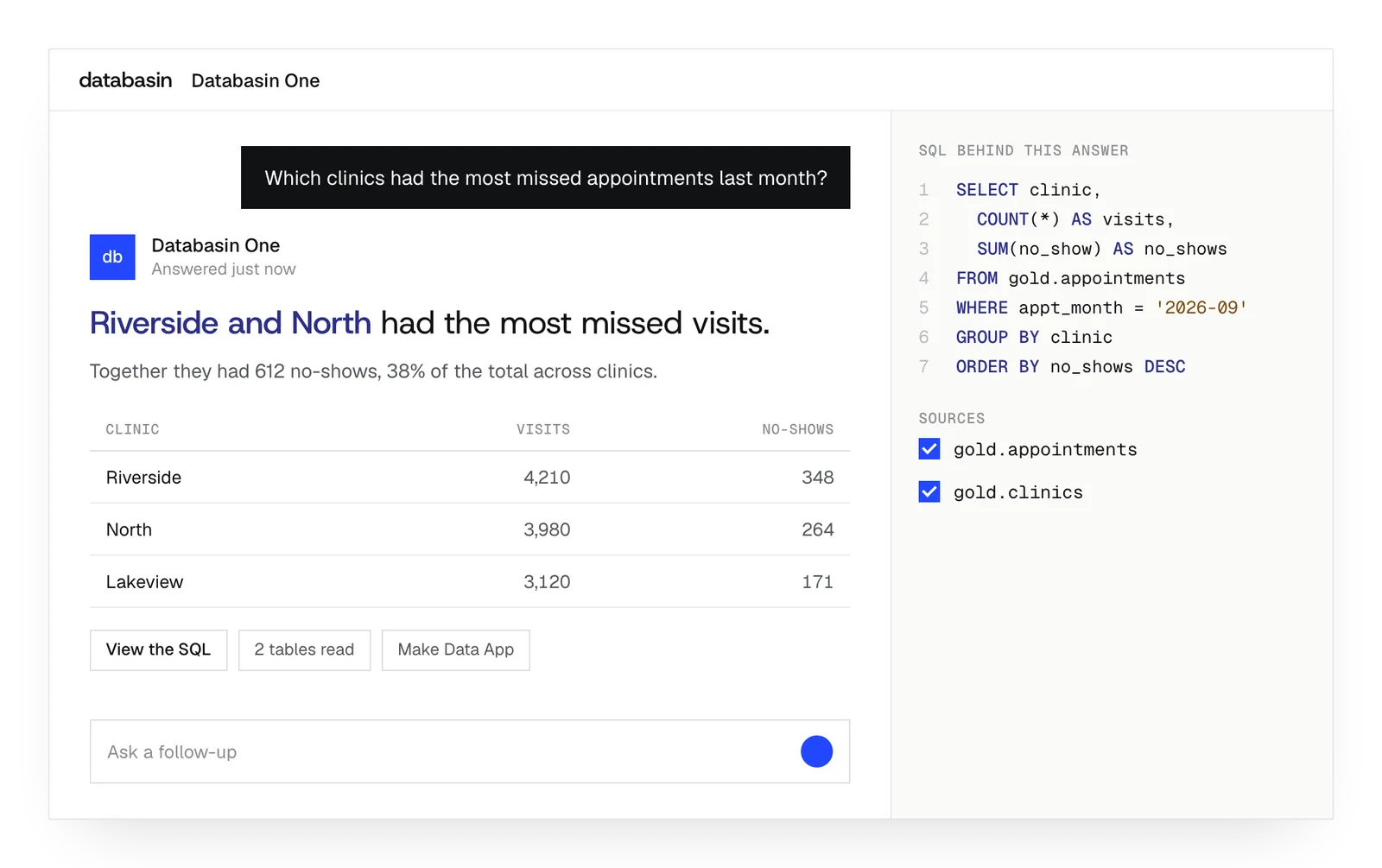
People can explore those records in Data Apps or ask questions in plain language. The application uses the definitions your business owners have established for the work.
For historical questions, Databasin extracts effective-dated records and selects the values that applied during the period being analyzed. A review of last June's staffing can therefore use the manager, compensation and cost center from that month. Your Workday owners help us establish access and check the calculations.
The platform behind the work
People can ask questions, build Data Apps and automate recurring work using the data connected through Databasin.
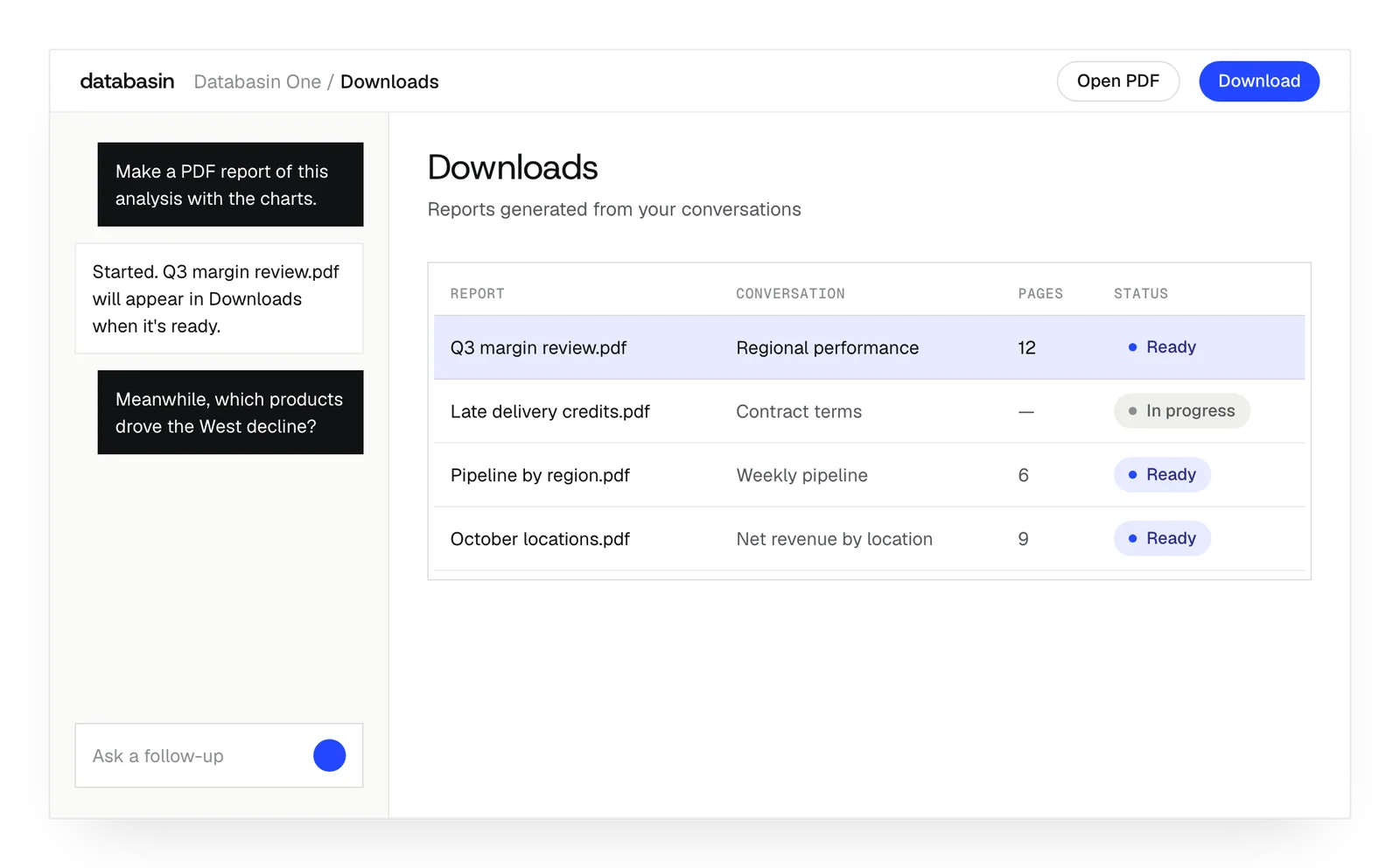
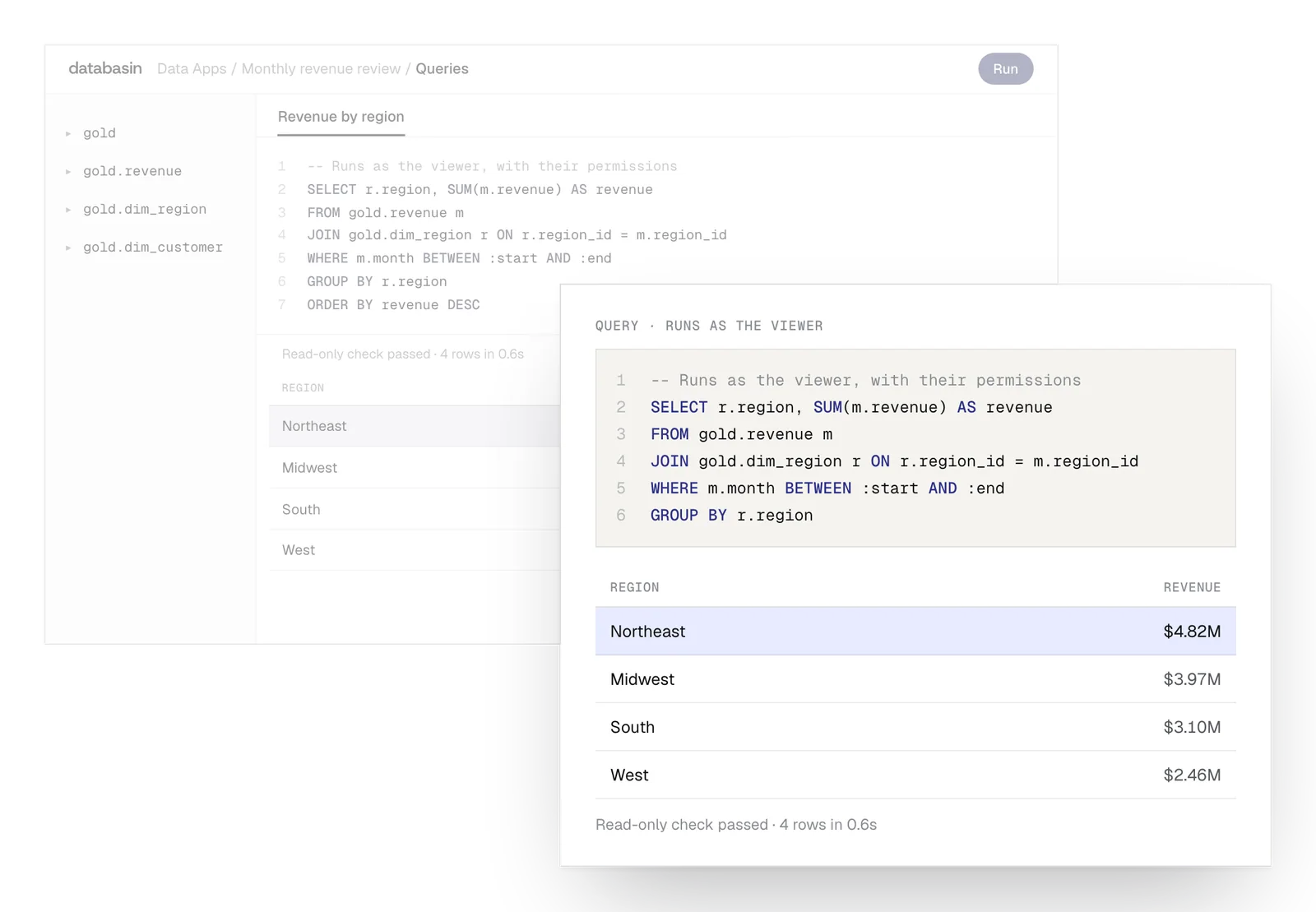
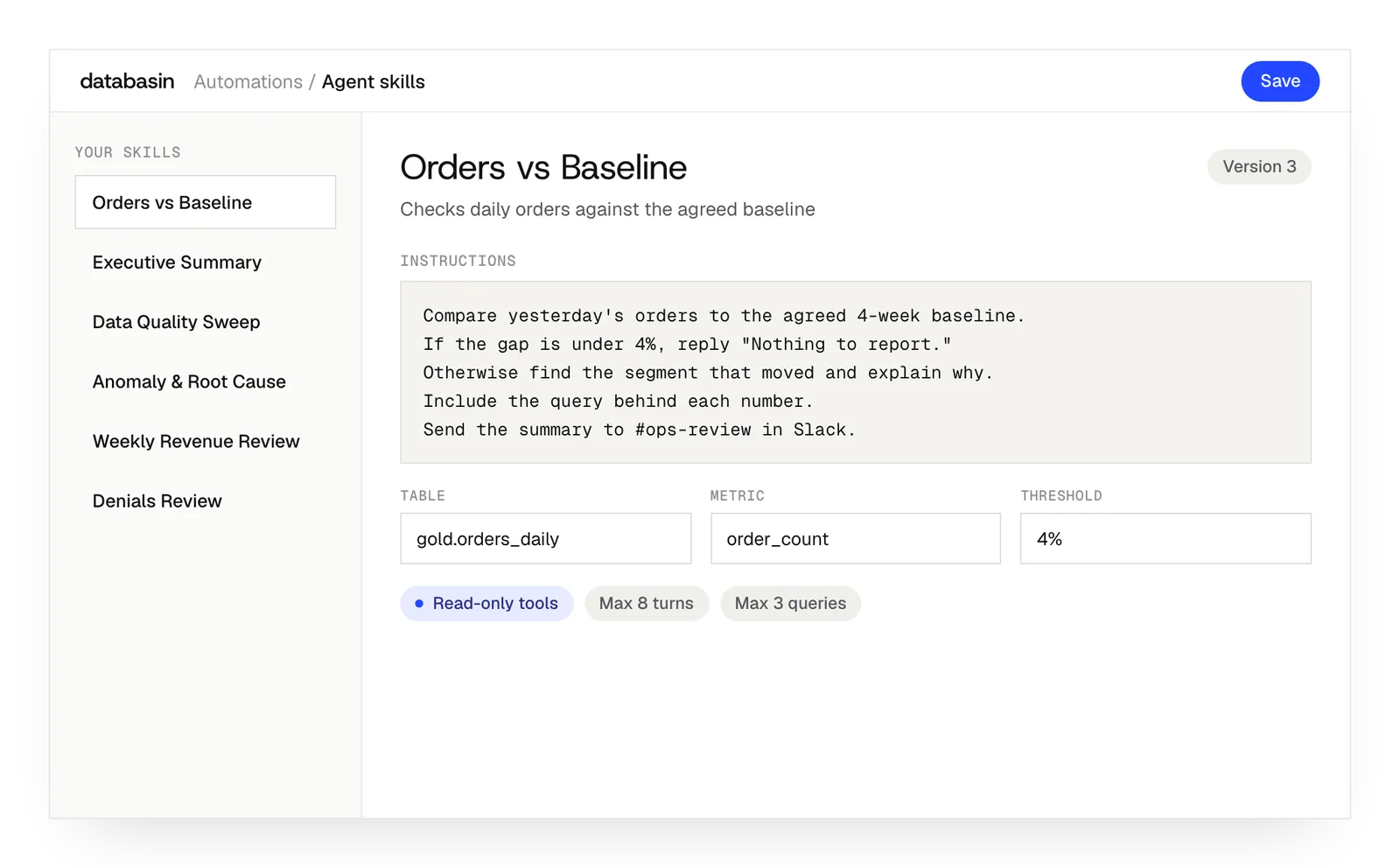
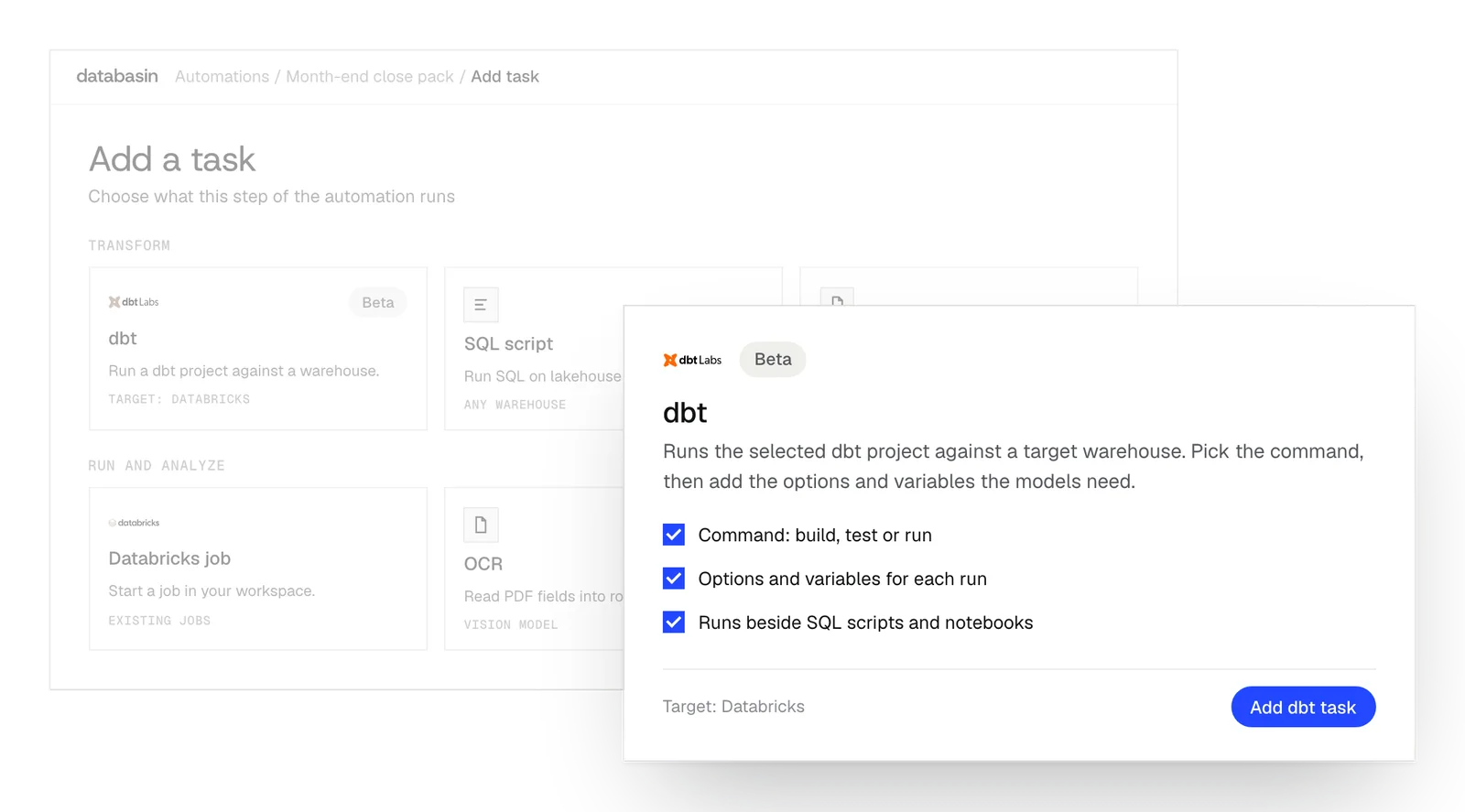
Design, Build, Run
We take responsibility for the work from defining the outcome through implementation and ongoing support.
Design
We define the outcome, current processes and expected return with your stakeholders. A working example shows how Databasin would answer your business questions.
Build
We get your first use case live in 90 days. Communication, rollout, training and success measurement are included in the work.
Run
Choose the help you need after launch. We can run the solution for you, provide monthly support hours or stay on call.
What we prepare for analysis
Access checklist
We identify business objects, permissions and the destination with your administrator. The access checklist also records the identity used for the connection.
Effective-dated history
We prepare historical records so queries use period-appropriate values. A comparison can retain the manager, compensation and cost center assigned at the time.
Connected records
We match Financials and HCM with other source records by organization and period. The combined view supports questions that finance or HR cannot answer from one system.
Reviewed calculations
We preserve the meaning of business measures by reviewing calculations with your specialists. Where logic needs to be recreated, we implement and check it in the prepared data.
Comparing staffing and cost over time
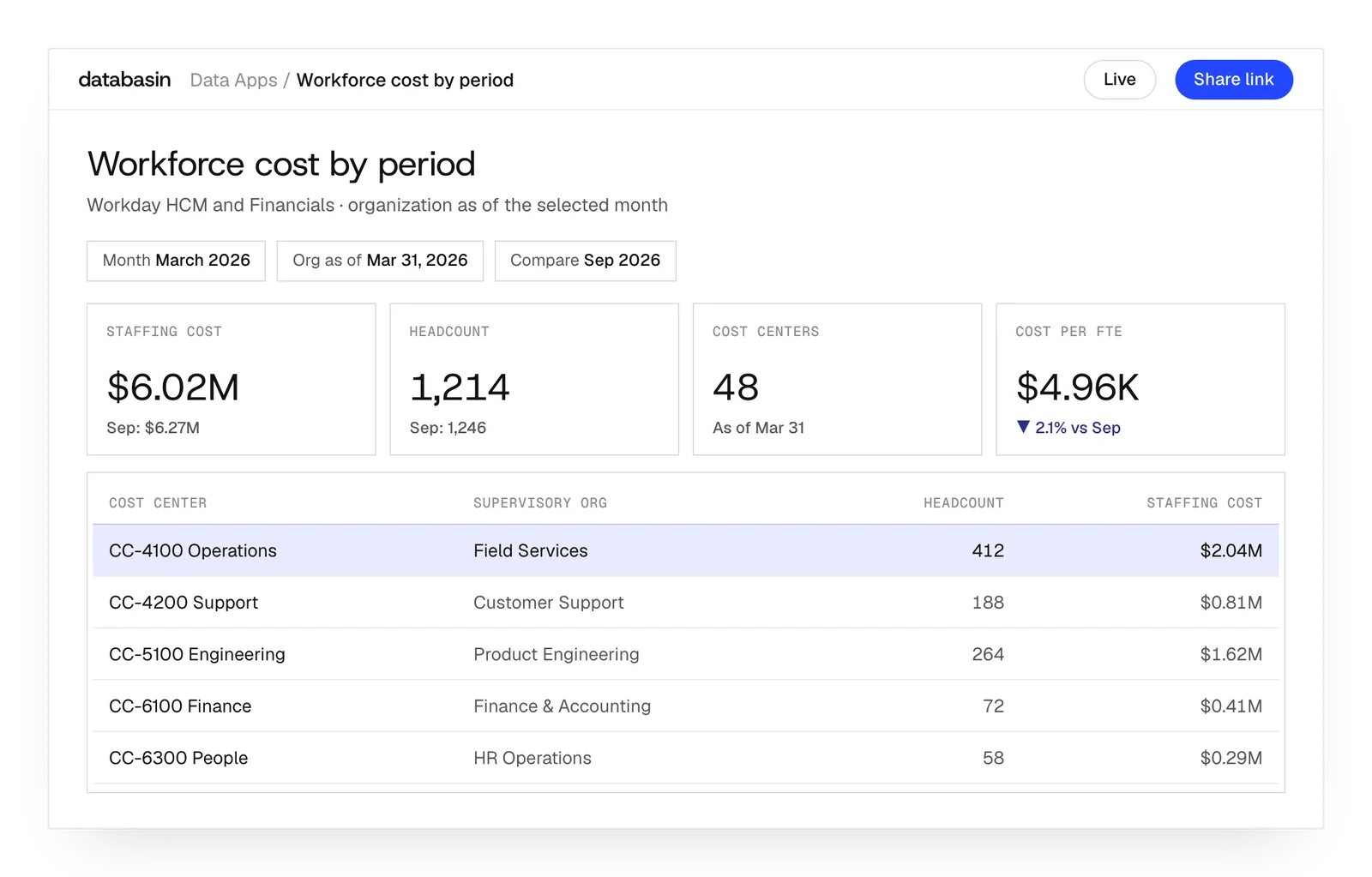
Finance can compare workforce costs using the assignments that applied in each reporting period. We combine Workday history and financial records in Data Apps.
Selecting a past month returns its manager and cost-center assignments. Finance can investigate the movement with the records for that period and discuss it with the people responsible then.
What happens next
We would like to hear where your team wants to make progress with data and AI. We can discuss a project you have in mind or explore where Databasin could help with the work.
What happens next
Book a demo
Book a conversation about your organization and the work you want to improve. Questions about where to start are welcome.
Explore the opportunity
We show a working example that answers your business questions, then discuss what it would take to deliver it for your team.
Get the first result
After agreeing the first use case, we implement it with your team. We train the people using it and measure how it performs.
FAQ
What do you need from our Workday administrator?
We need their knowledge of the objects, permissions and calculations in your configuration. We design the extraction with them and ask them to review its output. That review includes Financials, HCM and the organizational records used by both.
What happens when someone enters a backdated change?
Databasin accounts for both the entry date and effective date. If a correction entered today applies to last quarter, the extraction updates that historical record. A subsequent query can then use the corrected value for the period it belongs to.
Will our existing calculated fields carry over?
We review which required fields and calculation logic are available through the source. Logic that needs to be recreated goes into the prepared data. Your specialists compare the result with the business definition so the measure retains its meaning.
Do we have to adopt Workday Prism first?
No. Databasin has a Workday connector and tools to prepare its records. Existing Prism work can inform the design. We examine what it supplies and determine how to obtain the other records needed for cross-system analysis.
Can the same analysis include data outside Workday?
Yes. We prepare Workday and other connected records together, establishing the matching organizations, periods and access. The combined view can answer a question that spans finance, HR and another department's data.
How current will the information be?
The latest completed extraction and refresh determine which records the application can use. We plan that schedule around the business need and source behavior. Recurring tasks can start after preparation, using the data available for that run.
Does this replace our Workday transaction processes?
No. Workday retains its existing transaction processes. This service uses their records for analysis and recurring data workflows. The design establishes how people review the findings and where they act in Workday or another source system.
Can we restrict who sees compensation information?
Yes. Owners of sensitive data help define the permitted audience, and we apply those permissions in the selected deployment. Compensation records can be restricted accordingly. Finance and HR use the shared view within the access established for them.