Get Workday HR and finance data out, with its history intact
Extracting data from Workday usually means choosing between custom reports (RaaS), the REST and SOAP APIs, WQL, EIB and change feeds such as PECI. Each one returns current values unless you ask for history. The Databasin connector reads Workday business objects across HCM and Financial Management, keeps the full effective-dated history and loads changes incrementally. Our team then builds the measures and Data Apps for your finance and workforce reviews.
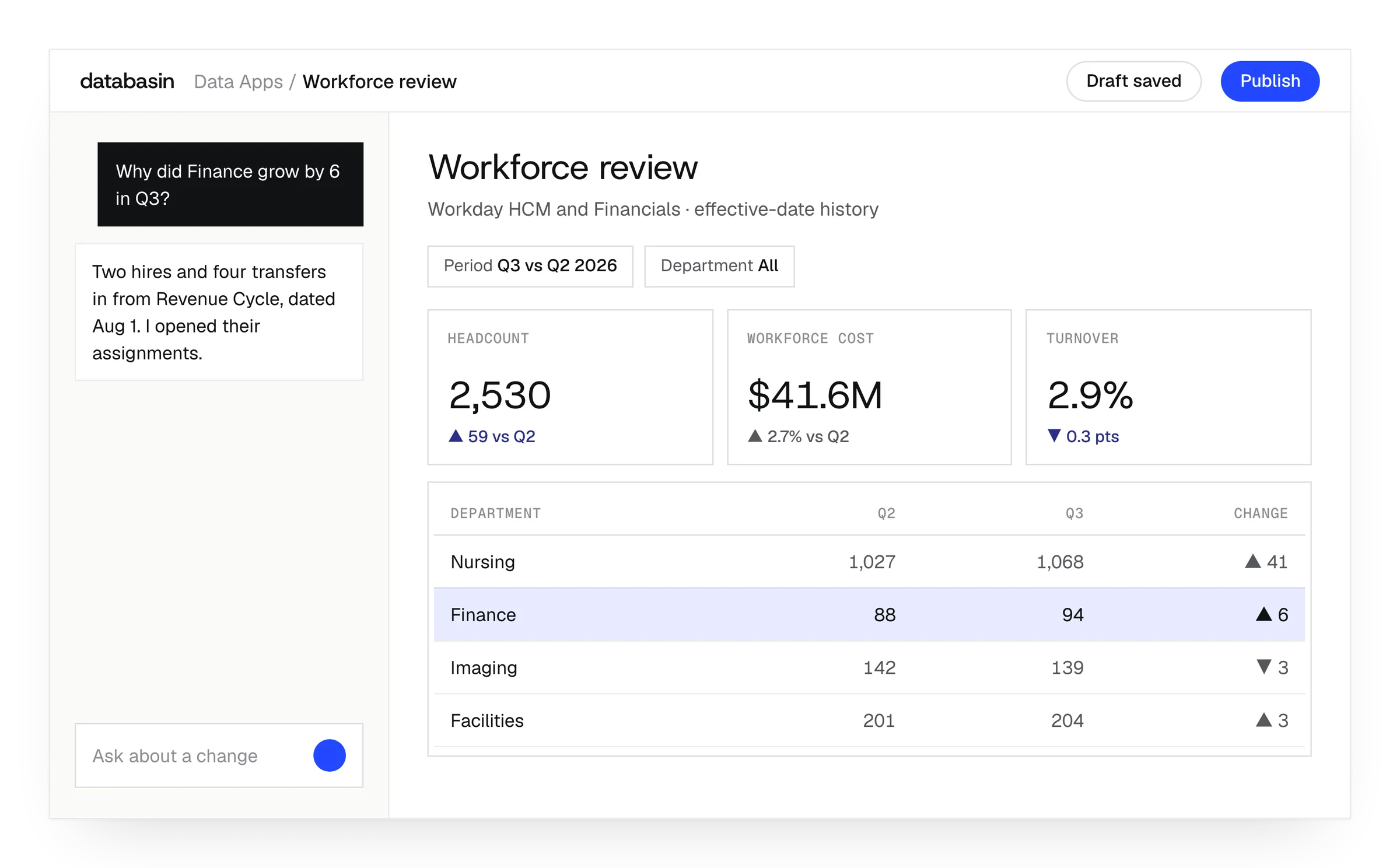




Finance and HR analysis across periods
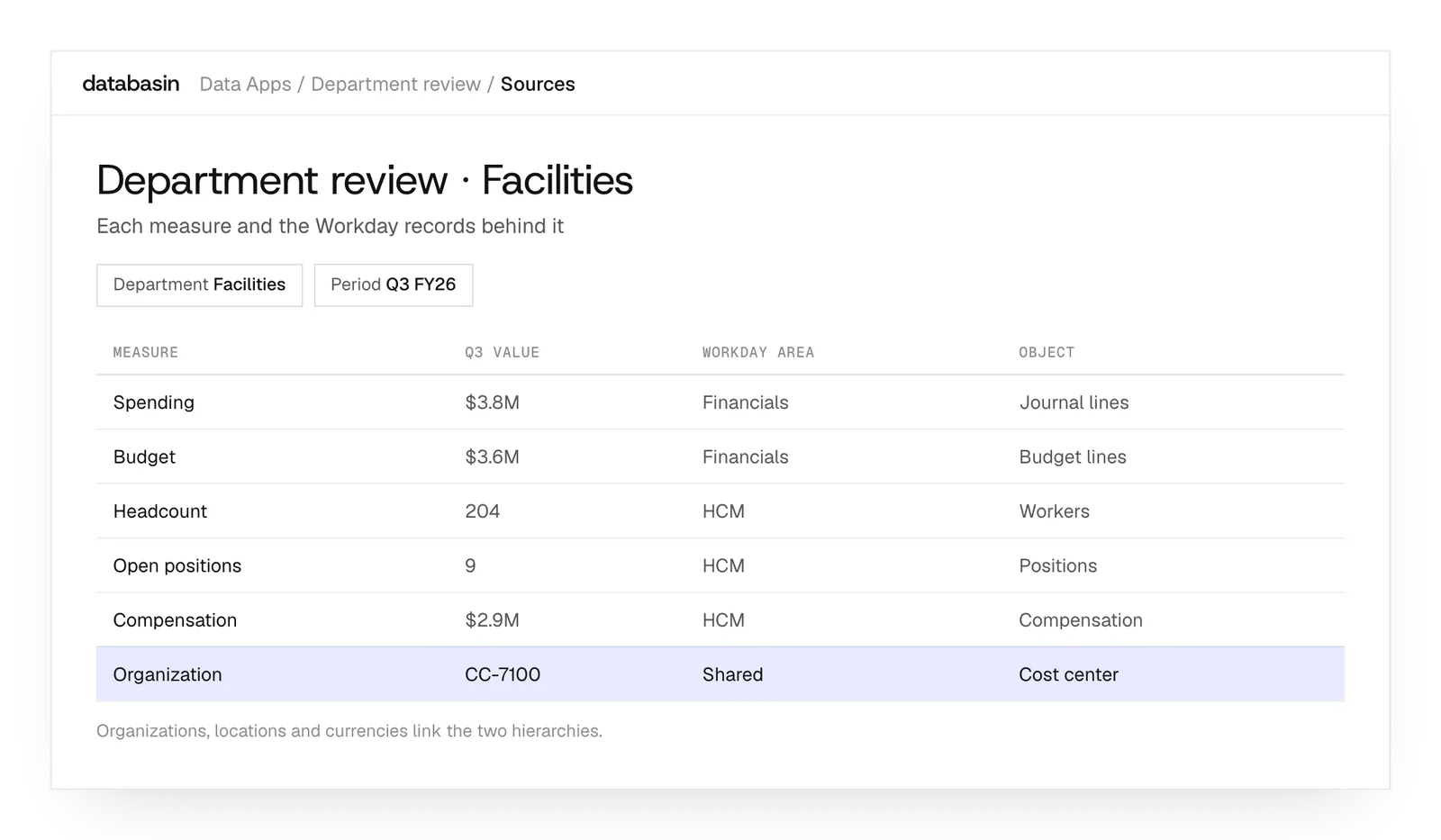
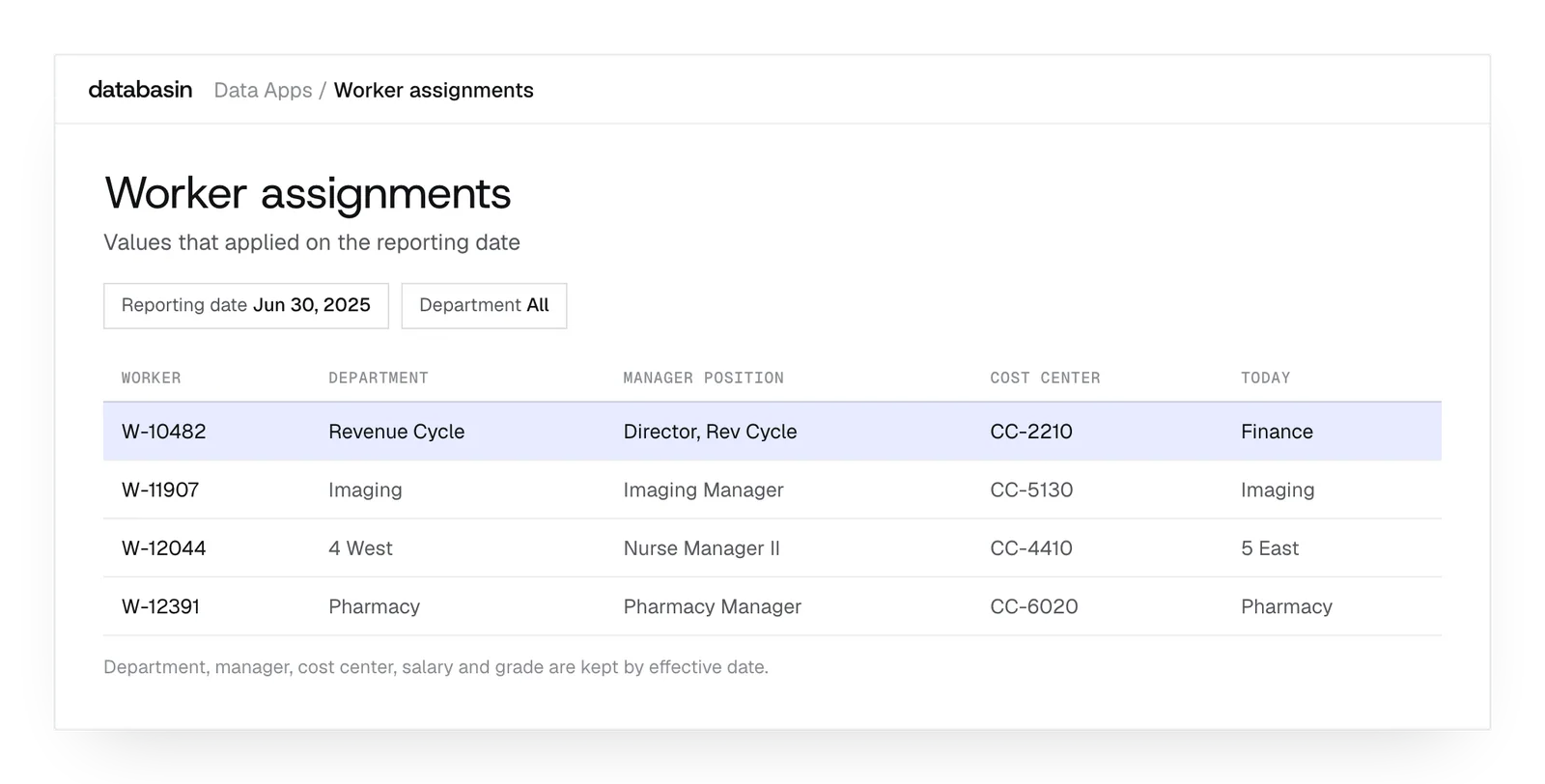
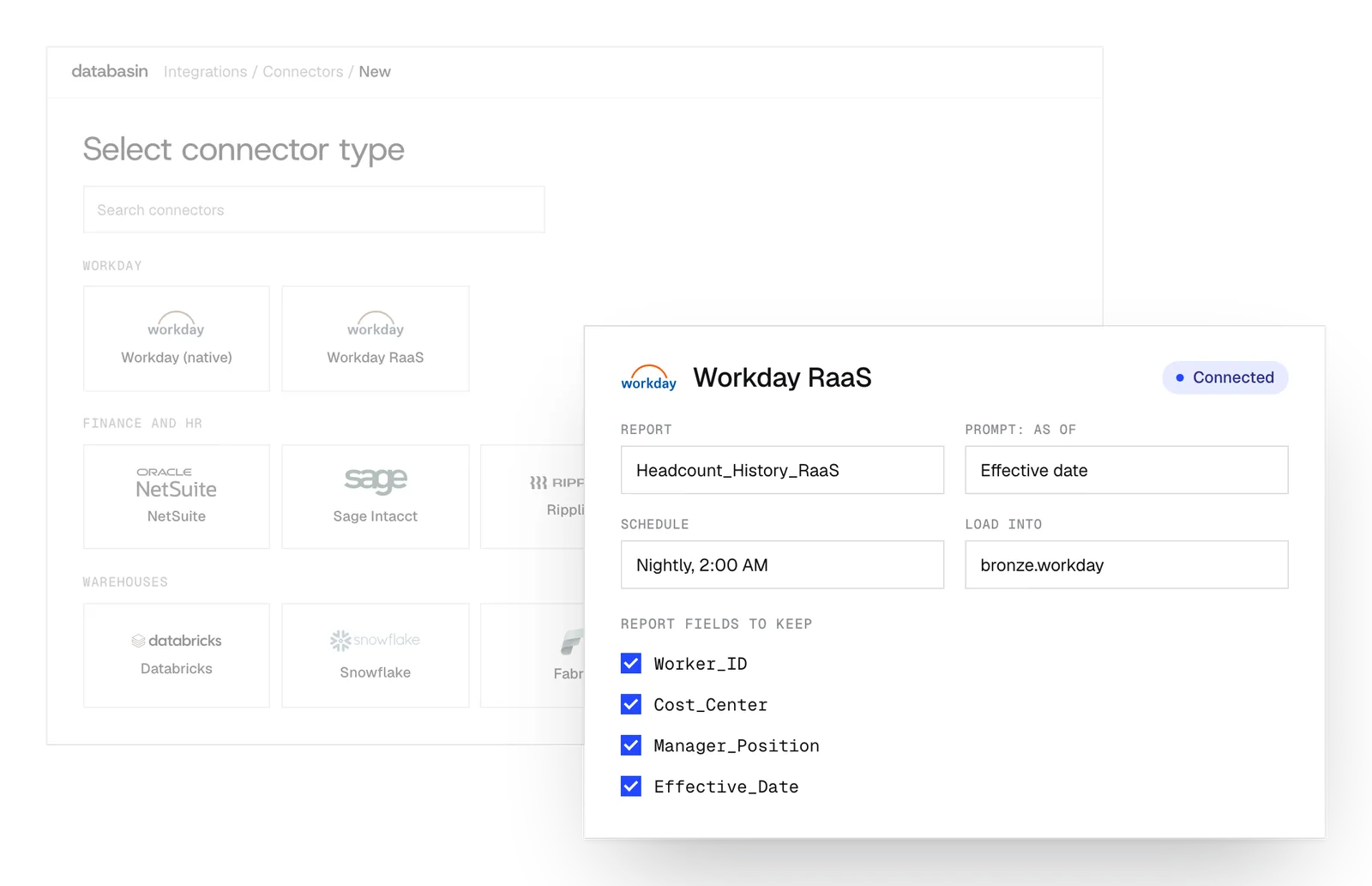
How to extract data from Workday
Every route below works. They differ in what they return, how much history comes with it and who maintains them when your tenant changes.
| Route | Fits when | What to plan for |
|---|---|---|
| Custom reports as a service (RaaS) | A report writer can build an advanced report with the fields, prompts and calculated fields you need. | Each report returns what it was built to return. History depends on the report's prompts and data source. |
| REST API | An application needs specific objects, such as workers or organizations, on demand. | Endpoint coverage varies by object, and paging through large tenants takes care. |
| SOAP Web Services (for example Get_Workers) | Integrations need broad object coverage with as-of and effective-date parameters. | Responses are large and verbose, and point-in-time history means repeated as-of requests. |
| Workday Query Language (WQL) | Developers want SQL-like queries against Workday data sources. | Queries follow data sources and their fields, so joins across HCM and Financials still need modeling. |
| Enterprise Interface Builder (EIB) | A scheduled file export or load is enough for the job. | File-based and best for simple, repeatable transfers rather than a full reporting history. |
| Change feeds (PECI, Core Connector: Worker) | Downstream systems need only the worker changes since the last run. | Built for payroll and HR changes; finance objects and full history need another route. |
| Workday Data Cloud | Your team wants to prepare data inside Workday, the successor to Prism Analytics. | Reporting stays centred on Workday and the external query routes it supports. |
| Databasin connector | You want HCM and Financial Management in one model with past periods reported correctly. | Some objects need elevated permissions in your tenant; the connector flags them before a pipeline runs. |
What the Databasin connector extracts
- Business objects across HCM and Financial Management: workers, positions, compensation, organizations, journal lines, budgets, payables and receivables.
- 39 data feeds, including funds, grants, gifts, cost centers, projects and academic appointees.
- A separate RaaS connector for the custom reports your team already maintains.
How it keeps history right
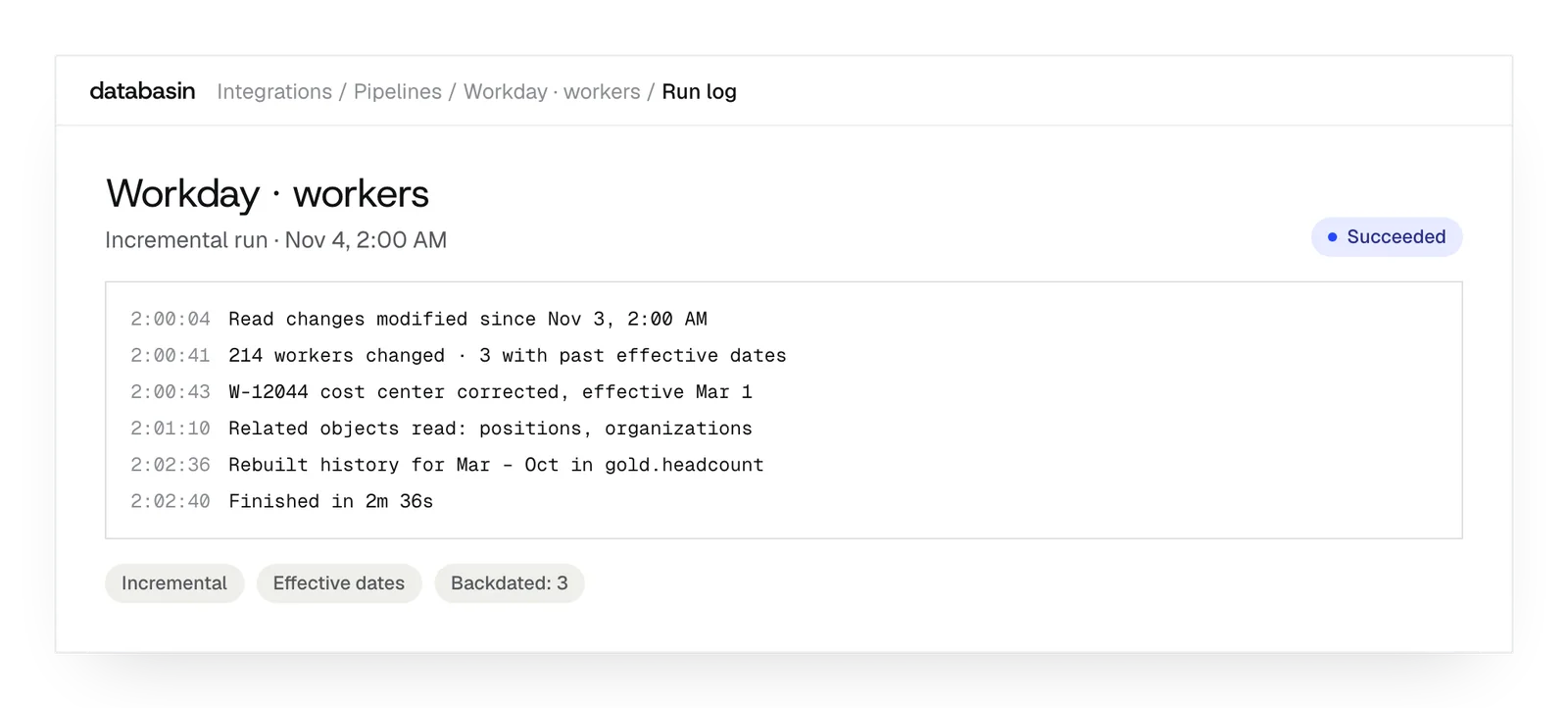
- Full effective-dated history as Type 2 dimensions, so June headcount uses June's managers and cost centers.
- Incremental loads that follow effective dates and related-object changes, not only last-modified times.
- Calculated fields your reports depend on become explicit, reviewable rules in the model.
Design, Build, Run
We take responsibility for the work from defining the outcome through implementation and ongoing support.
Design
We define the outcome, current processes and expected return with your stakeholders. A working example shows how Databasin would answer your business questions.
Build
We get your first use case live in 90 days. Communication, rollout, training and success measurement are included in the work.
Run
Choose the help you need after launch. We can run the solution for you, provide monthly support hours or stay on call.
Results from customer work

- 20+ systems unifiedDatabasin brought WashU Medicine's financial data together.
- Infrastructure costs at 1/3 of the traditional approachWashU Medicine's result from changing its data infrastructure.
18%
Higher grant proposal success
Measured at a research institution working with Databasin.
“What used to take weeks or sometimes even months now happens in minutes.”
Details behind the shared model
HCM relationships
Connect workers to their position, compensation and organizational records in HCM.
Financial records
Include journal, budget, payable and receivable records in the prepared finance model.
Shared references
Connect Financial Management and HCM through shared organizational, location and currency references.
Historical dimensions
Resolve the values that were effective during the selected reporting period.
Source evidence
Keep source records available to inspect beneath the reporting rules and calculations.
Query inspection
Read the query behind an answer when a measure needs closer examination.
Example: Workday data in team reviews
Workforce changes
Compare periods using historical headcount and the assignments effective then, so a change can be examined in its organizational context.
Departmental costs
Review departmental costs with the workforce records for that period, using the prepared relationships between finance and HCM.
Board reporting
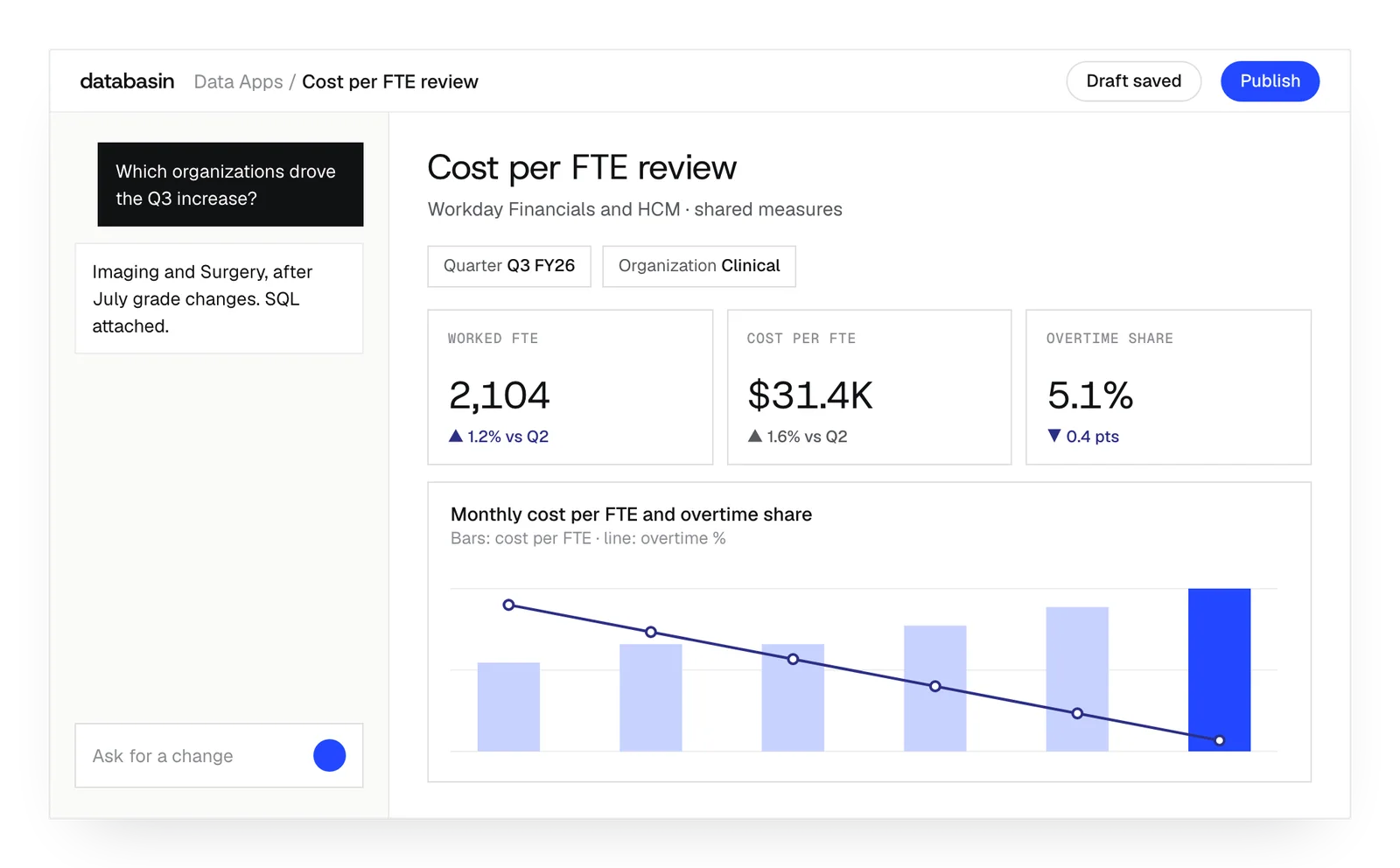
Open the agreed board measures in a Data App and explore a question about the financial or workforce result.
Workday · Workday Query Language · Accessed November 2026
Workday · Enhance integrations with calculated fields · Accessed November 2026
Workday · Upgrading from Prism Analytics to Data Cloud · Accessed November 2026
Databasin · Workday, end to end: 39 data feeds · 2026
What happens next
We would like to hear where your team wants to make progress with data and AI. We can discuss a project you have in mind or explore where Databasin could help with the work.
What happens next
Book a demo
Book a conversation about your organization and the work you want to improve. Questions about where to start are welcome.
Explore the opportunity
We show a working example that answers your business questions, then discuss what it would take to deliver it for your team.
Get the first result
After agreeing the first use case, we implement it with your team. We train the people using it and measure how it performs.
FAQ
What is the best way to extract data from Workday into a data lakehouse?
For a one-off report, RaaS is often enough. For a lakehouse that must answer past-period questions, you need business objects from HCM and Financials, their effective-dated history and incremental loads that catch backdated corrections. The Databasin connector does that and lands the data in your lakehouse, Databricks, Snowflake or Fabric.
Can our existing Workday reports stay in use?
Yes. We can keep the reports people already use and implement the additional sources, historical views or applications they need. We examine the existing measures first, so the new work has a clear relationship to the reporting already in place.
Can we combine Workday and Epic data?
Yes. The combined model can relate authorized Epic activity to Workday staffing and financial measures. We establish the organizational mappings, dates and audience permissions as part of that work. A departmental review can then examine those records together.
Who can see combined finance and HR records?
We establish permissions for the combined view and the people who need it. Sensitive workforce records may require narrower access than the financial measures beside them. Configuring the source connection and configuring the application's audience are both part of implementation.
What happens to Workday calculated fields?
We examine the expressions available through the chosen extraction route. A calculation needed downstream becomes an explicit rule in the prepared model. Finance and HR can review that rule and the source records it uses before relying on the resulting measure.
How far back can we analyze the workforce?
The native connector supports the full effective-date history available in your tenant. That history includes earlier salary and organizational assignments. RaaS coverage depends on the report and its prompts. We establish the required dates when configuring the extraction for the review.
Does Databasin require Workday Prism?
No. We can use Databasin's own connector and preparation tools to build the model and applications. Existing Workday reports can remain in use. The implementation follows the questions people need to answer and the source data required for them.
Can we use a warehouse we already operate?
Yes. Databasin works alongside Databricks, Snowflake and Microsoft Fabric. We select the destination and supported query route for the application, including the access it needs. Running Databasin in your Azure environment is also an available deployment choice.
Who maintains the connection when Workday changes?
Databasin maintains its native connector as Workday changes. We also implement the reporting rules that depend on your configuration. Changes to local report definitions, required measures or access can become part of continuing support, with the level of help agreed for the running application.
Talk about your Workday reporting
We would like to hear how your team uses Workday and where a better view of the data would help. We can explore the questions, the existing reporting work and how Databasin could support your next step.